What is the Review step?
-
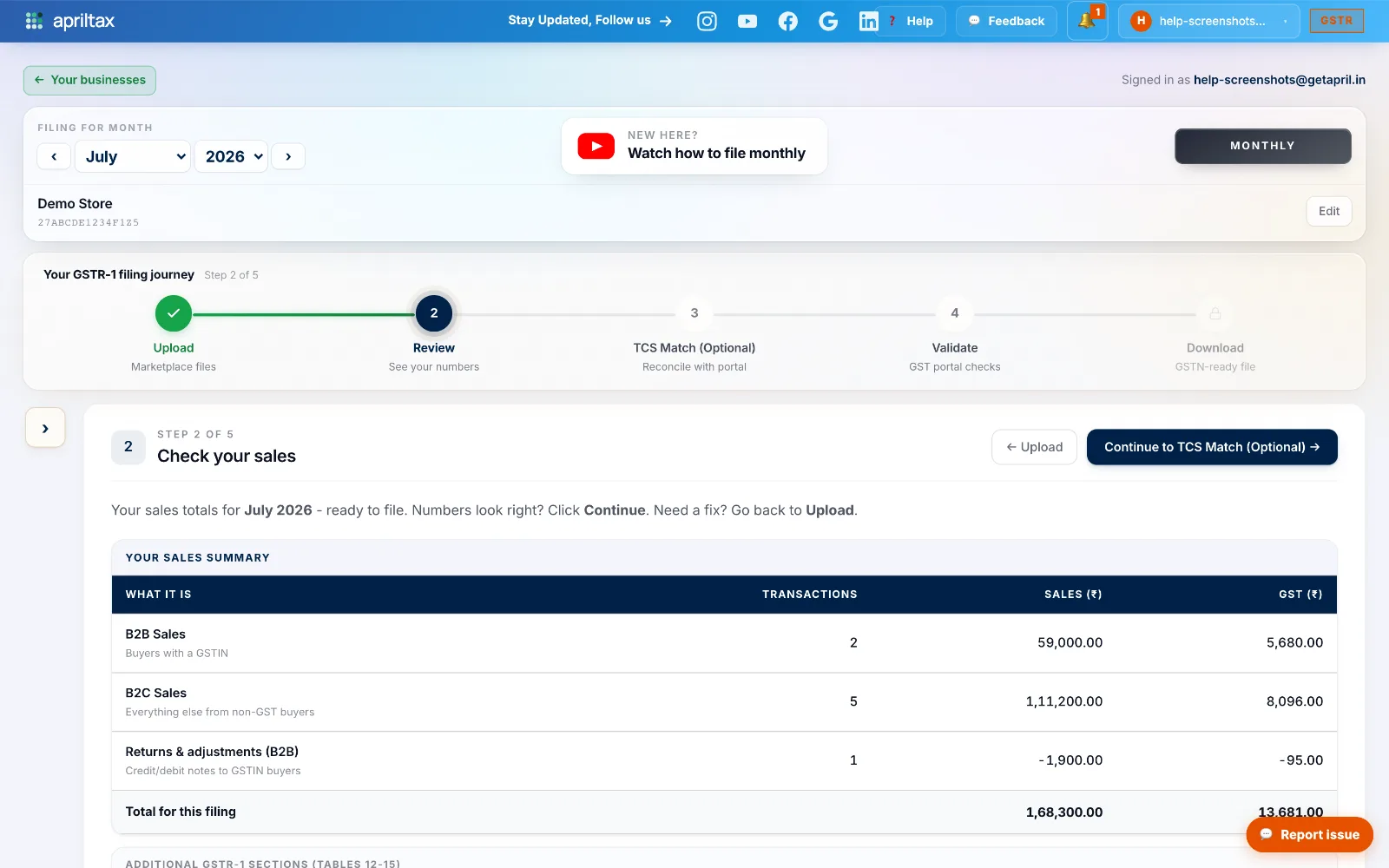
After your files are uploaded, Step 2 - Review shows the sales AprilTax computed from them: every number here is derived from your marketplace reports, nothing is typed in by hand.
-
The summary has three rows: B2B Sales (buyers with a GSTIN), B2C Sales (everything else), and Returns & adjustments (credit/debit notes, shown negative) - with transaction counts, sales value and GST for each.
-
Your one job here: do the totals match what you actually sold? Compare against your marketplace panel or ledger. Numbers look right → Continue. Something's off → go back to Upload and check for a missing or wrong file.
💡 A total that looks too low usually means a missing file (e.g. only one of Amazon's two MTRs was uploaded). Too high? A file may be uploaded twice under different names - check the Upload step's file list.
A real apriltax team member, not a bot.