How do I open the detailed view - and see invoice-level rows?
-
On the Review step, click Open detailed view (bottom of the summary card).
-
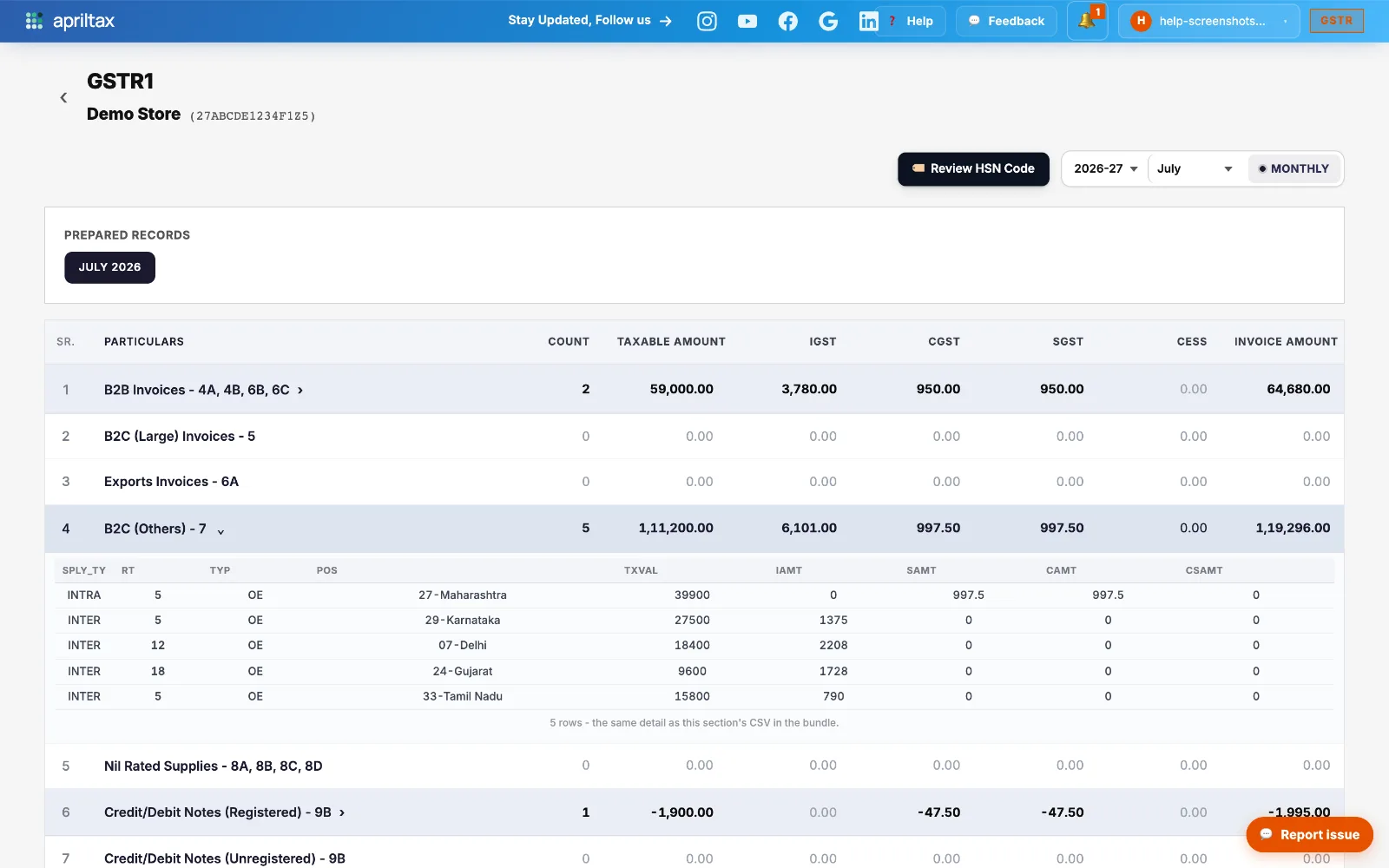
You land on the full GSTR-1 breakdown - every table of the return with its count, taxable amount and tax split.
-
Sections with data carry a › arrow - click one to expand the actual rows underneath: state-wise entries for B2C (Others), invoice-wise for B2B, note-wise for 9B.
-
The expanded rows are byte-for-byte what goes into your filing - the same detail as the CSV bundle you can download at the end. POS shows the buyer's state as code + name (e.g. 27-Maharashtra).
-
Open a different section and the previous one closes - so you're always comparing one section against the totals row above it.
Stuck? We reply in minutes.
A real apriltax team member, not a bot.
A real apriltax team member, not a bot.