How do I run TCS matching, step by step?
-
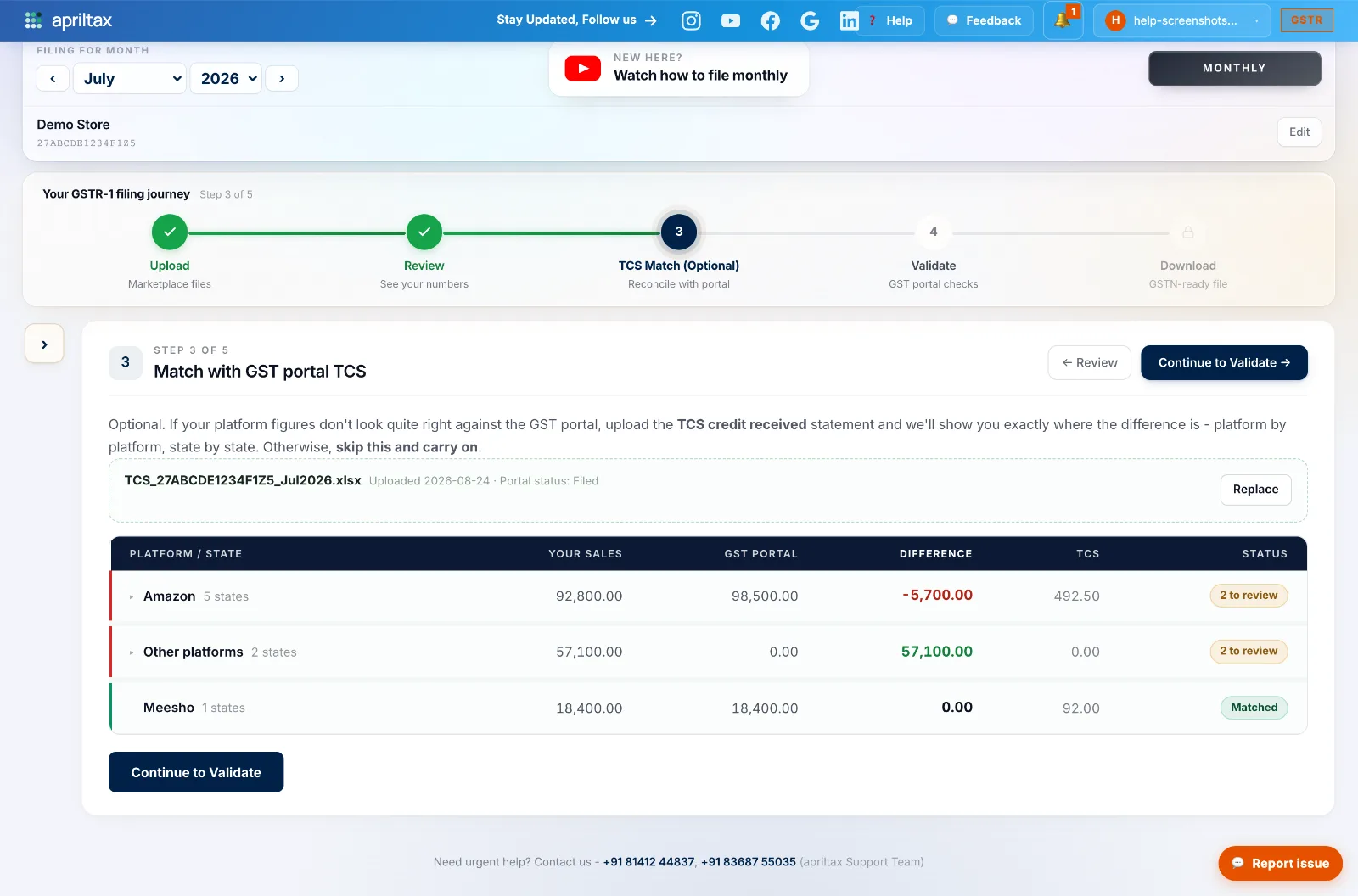
Go to Step 3 - TCS Match of your filing journey. It's optional - you can skip it - but one upload buys real peace of mind.
-
Upload the portal's TCS credit received statement (how to download it). AprilTax reads it and recognises each operator automatically.
-
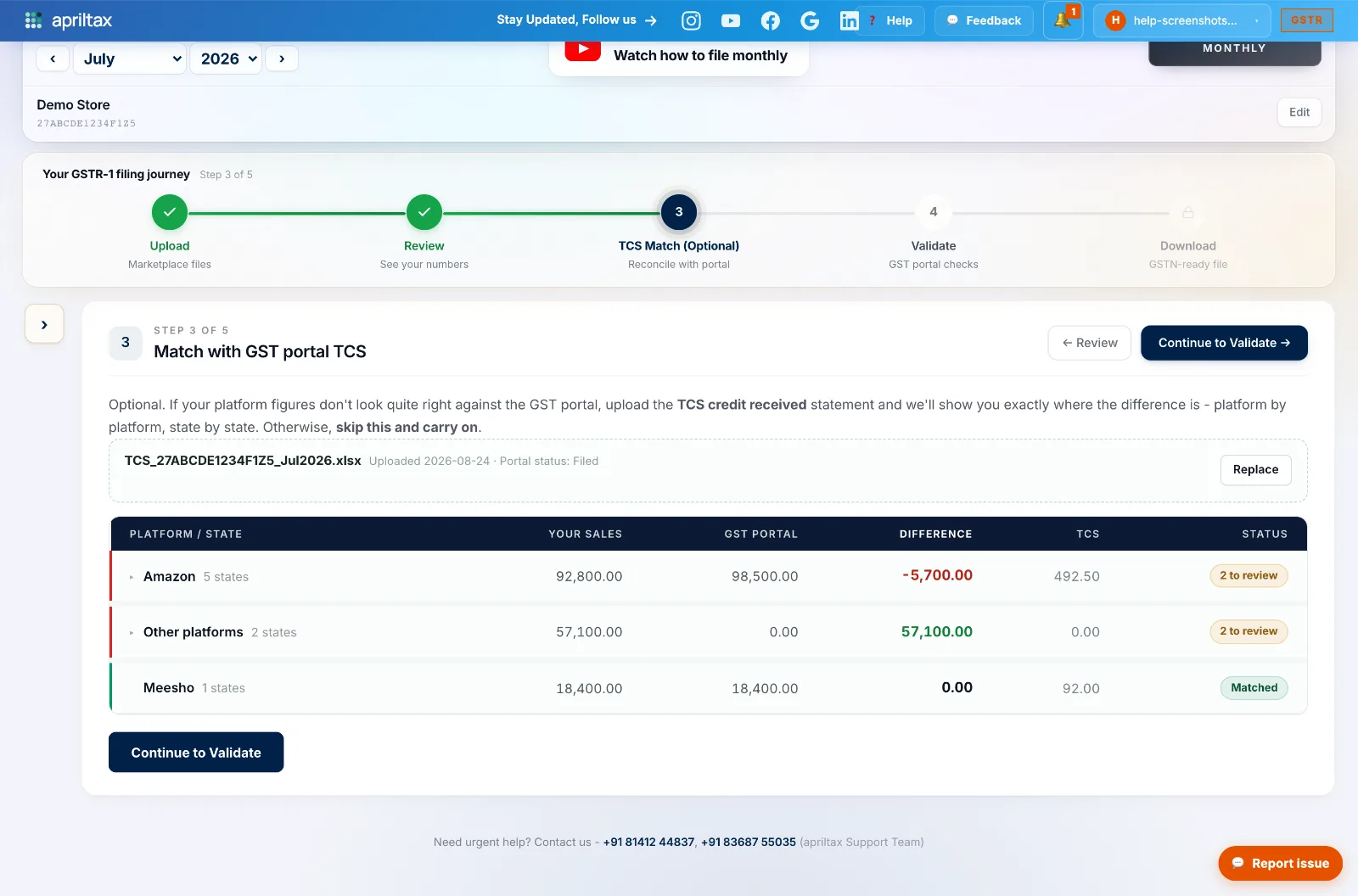
Read the table: Your Sales (from your files) vs GST Portal (from the statement), the Difference, the TCS deducted, and a per-platform Status.
-
Matched (green) - the platform ties out, nothing to do. N to review (amber) - click the platform row to expand its states; only states needing attention are listed, matched ones stay hidden.
-
A green difference means your files carry more than the portal - normal for platforms that don't collect TCS (your website, direct sales) and for timing differences. No rectification needed there.
A real apriltax team member, not a bot.