How do I fix a TCS mismatch? (Rectify, with examples)
-
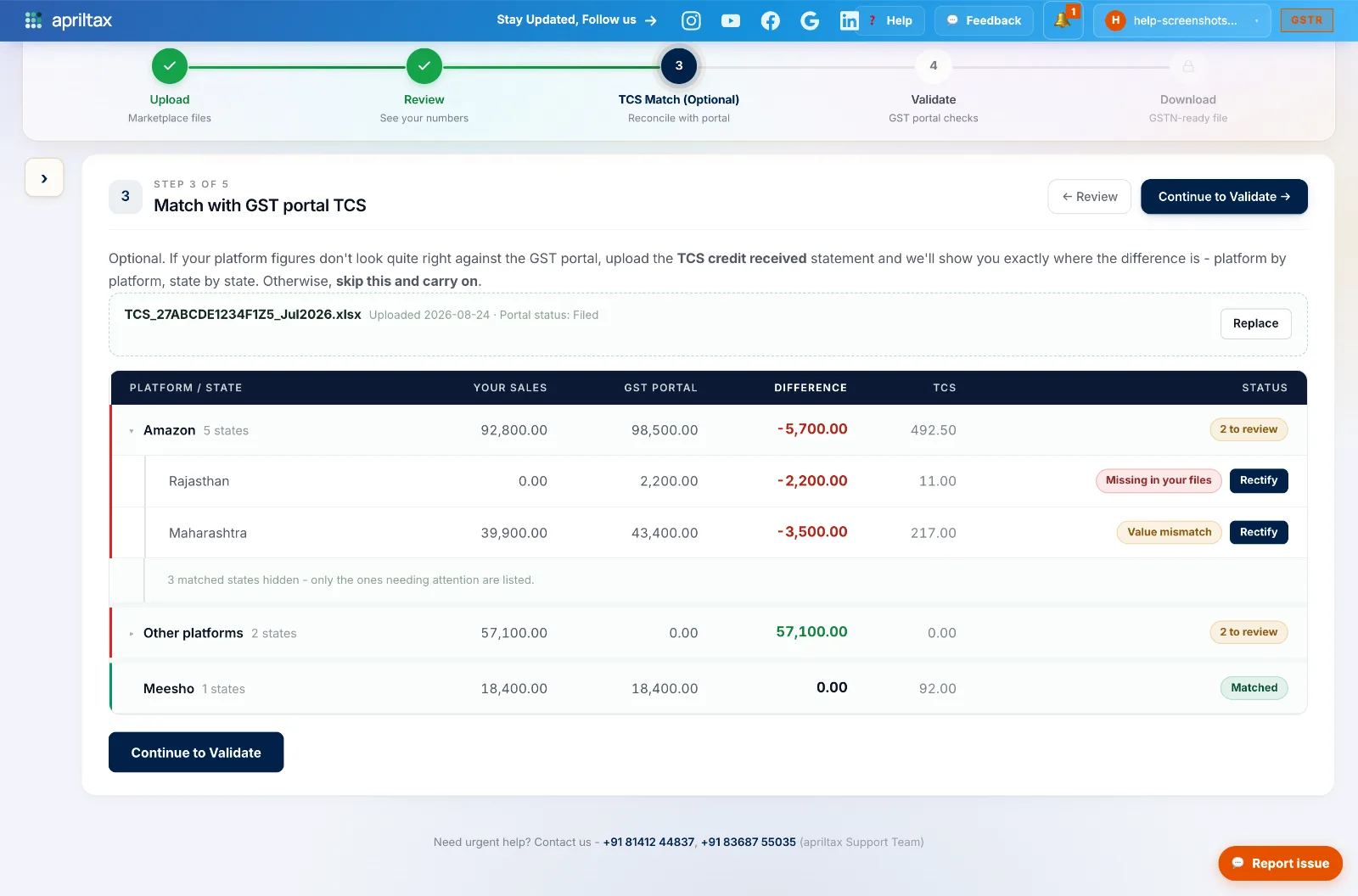
Expand the flagged platform. Each problem state carries a label and a Rectify button. Two things can be wrong:
-
Example 1 - "Missing in your files." The portal shows Amazon sold ₹2,200 in Rajasthan, but your files show ₹0 for that state. Usual cause: an incomplete or missing report file. If re-checking the upload doesn't explain it, rectify.
-
Example 2 - "Value mismatch." Your files show ₹39,900 for Maharashtra but the portal says ₹43,400 - a ₹3,500 gap, often returns netted differently or orders missing from one report.
-
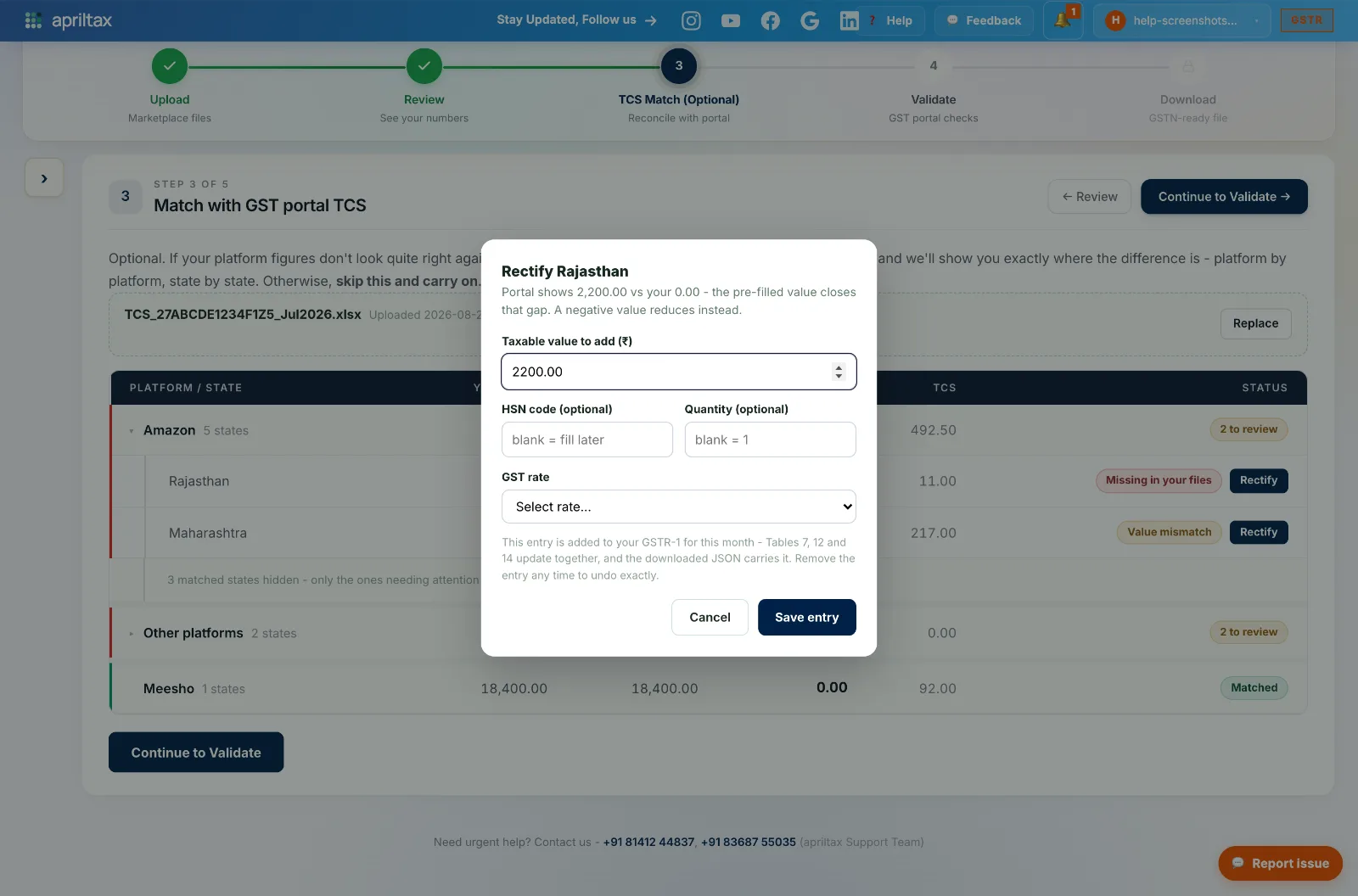
Click Rectify - the modal opens pre-filled with the exact gap. Pick the GST rate the sales were taxed at (HSN and quantity are optional, you can fill them later), then Save entry.
-
The entry is added to this month's GSTR-1 - Tables 7, 12 and 14 update together, and the downloaded JSON carries it. Changed your mind? Remove the entry any time to undo exactly.
-
After rectifying, the state shows as Rectified and the platform's difference closes. Re-run the Validate step afterwards - the TCS statement cross-checks (V4.8/V4.9) confirm everything now ties.
⚠️ Only rectify gaps where the PORTAL shows more than your files. The other direction (your files higher - a green surplus) needs no rectification: platforms that don't collect TCS legitimately have no portal entry.
A real apriltax team member, not a bot.