How do I add my business (GSTIN)?
-
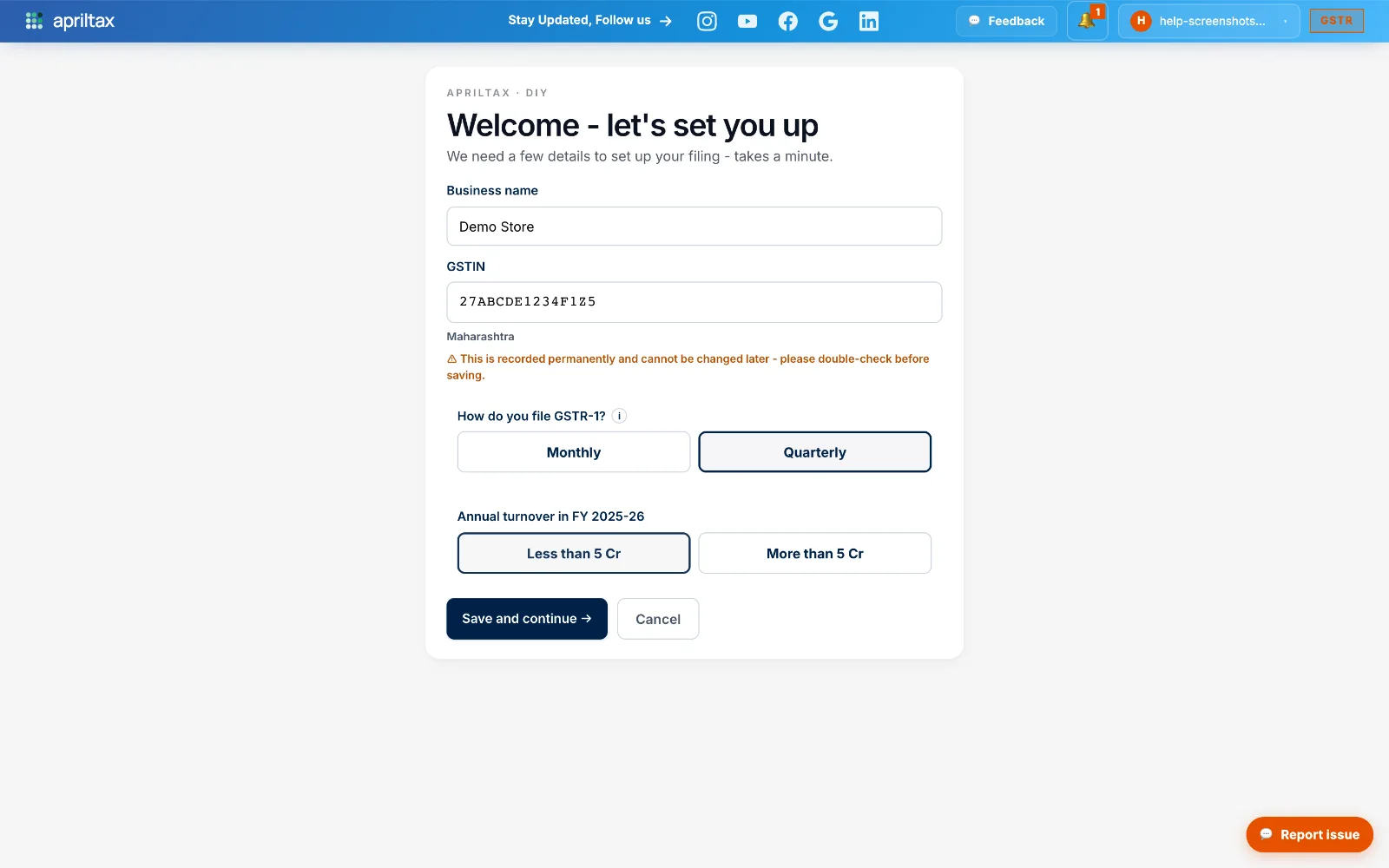
On Your Businesses, click Add your first GSTIN → (or the + Add another GSTIN tile if you already have one).
-
Enter your business name and your 15-character GSTIN - the state fills in automatically.
-
Pick how you file GSTR-1 (Monthly or Quarterly), your turnover slab, then click Save and continue →.
⚠️ The GSTIN is recorded permanently and can't be changed later - double-check it before saving. Not sure if you file monthly or quarterly? It's on your GST portal dashboard under Returns.
Stuck? We reply in minutes.
A real apriltax team member, not a bot.
A real apriltax team member, not a bot.