A validation check failed - what happens now?
-
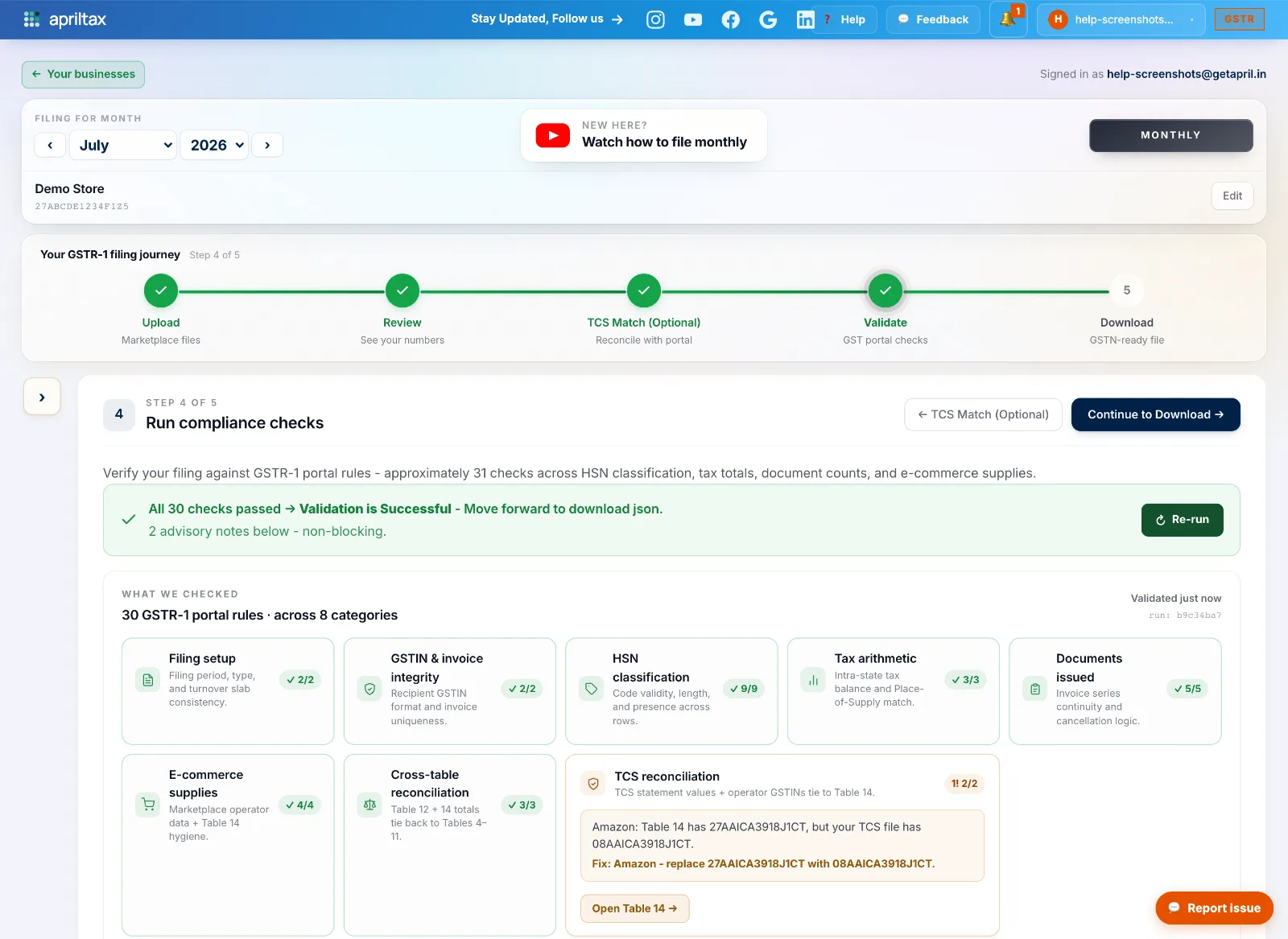
Run the checks at Step 4 - Validate of your filing journey - one click on Run compliance checks. All 30 checks run in one pass.
-
Critical findings (red) must be fixed - the Download step stays locked until the critical count is zero.
-
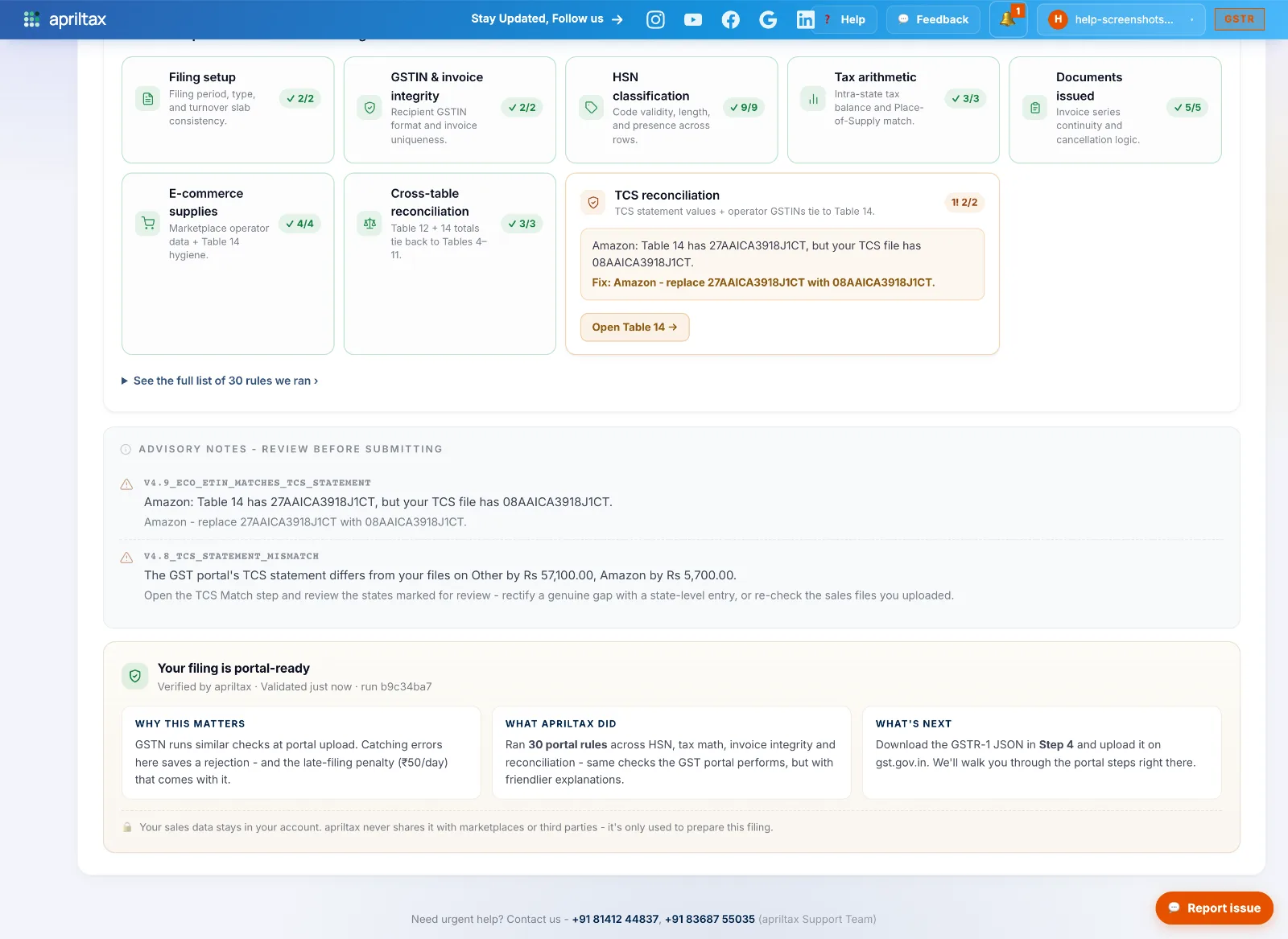
Info findings (amber) are advisory - read them, and if the numbers match your records you can file as-is. They never block filing.
-
The report groups results into 8 category tiles with pass counts; a tile with findings turns amber/red and shows what was found and the exact fix. Advisory notes list below, and a green "Your filing is portal-ready" panel confirms when you're clear.
-
After fixing, click Re-run checks. The report rebuilds from scratch, so a fixed issue disappears immediately.
-
Stuck on a check you can't clear? WhatsApp our compliance team at +91 81412 44837 - send a screenshot of the failing card.
A real apriltax team member, not a bot.